

Headless JavaScript rendering is the process where a browser engine executes client-side code to generate the final DOM structure for inspection. During automated website inspections, this phase often becomes the primary bottleneck for data extraction and analysis. Unlovable addresses these challenges by providing an intelligence workspace that manages complex system investigations efficiently. Understanding these specific friction points helps developers and analysts optimize their inspection pipelines for better accuracy and speed.
1. Heavy Dependency on Third-Party Scripts
External libraries often block the main thread and delay initial paint. Modern websites frequently load analytics, advertising, and chat widgets from external CDNs. These scripts compete for network resources and CPU cycles with the core application logic. When a headless browser waits for these dependencies to resolve, the rendering pipeline stalls. This creates a race condition where the inspection tool may capture an incomplete state if it does not wait for all external resources to settle.
2. Complex State Management and Hydration
Client-side hydration requires significant computation to sync server and client states. Frameworks like React and Vue rely on hydration to make static HTML interactive. This process involves comparing the server-rendered HTML with the client-side state tree. If the state is large or the logic is complex, the browser must perform extensive diffing operations. This computational overhead directly increases the time required before the page is considered fully rendered and ready for inspection.
3. Network Latency and Resource Waterfalls
Sequential resource loading creates cascading delays in the rendering pipeline. Browsers often load resources in a specific order, creating a waterfall effect. If a critical CSS file or JavaScript bundle depends on a previous request, the browser must wait for the entire chain to complete. High network latency amplifies these delays, causing the headless browser to spend more time waiting for assets than actually rendering them. This is particularly problematic for sites with deep dependency trees.
4. Dynamic Content Injection and Infinite Scrolling
Content that loads on demand requires explicit interaction or scrolling to render. Many modern sites use infinite scrolling or lazy loading to manage performance. This means the initial DOM contains only a small subset of the total content. A headless browser must simulate user interactions, such as scrolling, to trigger the loading of additional data. Without proper interaction scripts, the inspection tool may miss critical content that is only rendered after user engagement.
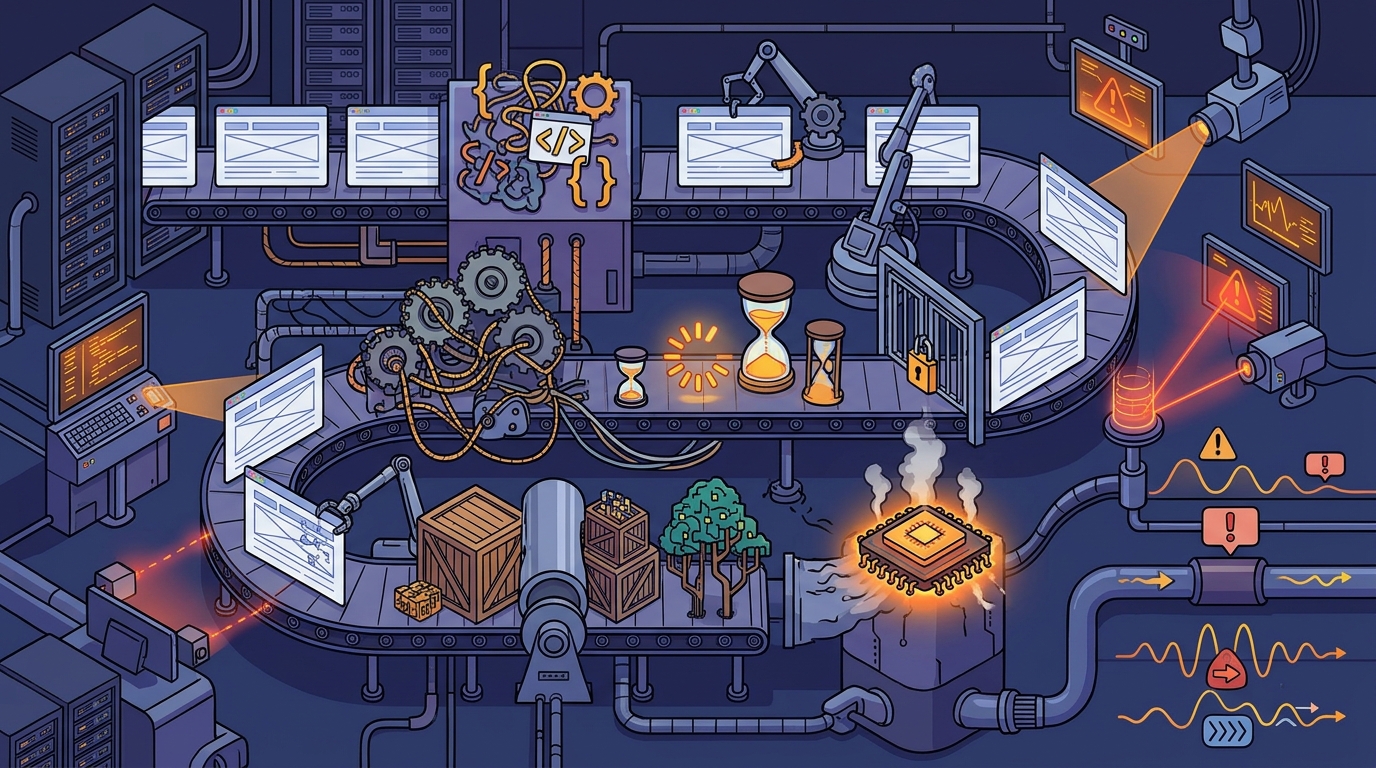
5. Browser Automation Overhead and Memory Constraints
Running a headless browser consumes significant memory and CPU resources. Headless browsers are not lightweight; they run a full browser engine in the background. This consumes substantial memory, especially when multiple tabs or complex pages are open. If the system runs out of memory, the browser may crash or throttle performance to prevent failure. This overhead adds latency to every inspection task, particularly when processing multiple sites in parallel.
6. Anti-Bot Detection and Fingerprinting
Websites often detect and block automated browsers using fingerprinting techniques. Many sites employ sophisticated anti-bot measures that analyze browser fingerprints, such as screen resolution, user agent, and JavaScript capabilities. If the headless browser is detected as a bot, the site may serve a challenge page or block the request entirely. This forces the inspection tool to wait for a response or fail, adding significant delay to the inspection process.
7. Inefficient Wait Strategies and Timing Logic
Generic wait conditions often fail to detect when a page is truly ready. Many inspection tools use simple wait strategies, such as waiting for a fixed number of seconds or for the network to become idle. These strategies are often unreliable because they do not account for dynamic content or asynchronous updates. A more robust approach involves monitoring specific DOM elements or network requests to determine when the page is fully rendered. Poor wait logic leads to either premature capture or unnecessary delays.
Choosing the Right Optimization Strategy
Selecting the right optimization strategy depends on the specific bottleneck in your inspection pipeline. If network latency is the primary issue, consider using a proxy or caching layer. If computational overhead is the problem, optimize your browser configuration or use a lighter-weight rendering engine. For sites with complex state management, ensure your wait strategies are tailored to the specific framework being used. By addressing these factors systematically, you can significantly improve the speed and reliability of your automated inspections.
Frequently Asked Questions
What is headless JavaScript rendering?
Headless JavaScript rendering is the process of executing client-side JavaScript in a browser environment without a visible user interface. This allows automated tools to generate the final DOM structure for inspection and data extraction.
Why do third-party scripts slow down rendering?
Third-party scripts compete for network and CPU resources with the core application logic. They often block the main thread, delaying the initial paint and final rendering of the page.
How does hydration affect rendering time?
Hydration requires the browser to compare server-rendered HTML with client-side state. This diffing process is computationally intensive and can significantly increase the time required for a page to become interactive.
Can anti-bot detection block headless browsers?
Yes, many websites use fingerprinting techniques to detect and block automated browsers. If a headless browser is identified as a bot, the site may serve a challenge page or block the request entirely.
What is the best wait strategy for dynamic content?
The best wait strategy involves monitoring specific DOM elements or network requests rather than using fixed time delays. This ensures the inspection tool captures the page only when it is truly fully rendered.
How does Unlovable handle complex rendering challenges?
Unlovable provides an intelligence workspace that manages complex system investigations. It allows users to access saved investigations and generate detailed reports, helping to streamline the inspection process for complex sites.
Start Your Investigation with Unlovable
Optimizing your inspection pipeline requires the right tools and expertise. Unlovable provides the digital intelligence platform you need to navigate these challenges effectively. To begin your analysis, visit the Unlovable platform and start your first investigation today.